
Early access · Release date: February 5, 2026
UpdatedMENACE How to Repair Vehicle: Garage and Defect Guide
MENACE how to repair vehicle: learn how the Garage restores HP, removes defects, and keeps your armor ready between missions. Plan your next deployment.
Jump to
MENACE How to Repair Vehicle: The Quick Answer
A damaged vehicle can turn your next MENACE mission into a fight for survival. The MENACE how to repair vehicle answer starts aboard the Impetus: install the Garage Hull OCI to repair one defect and restore 10% vehicle HP after each mission. This MENACE how to repair vehicle guide explains that recovery, operation-end repairs, and the damage thresholds that can leave your armor unable to move or fire.
There are two important recovery points: between missions with the Garage installed, and when an operation ends. Vehicle damage carries between missions, so winning a battle does not automatically mean your surviving vehicles are fully repaired for the next deployment.
| Vehicle situation | Repair or recovery mechanic | Important limit |
|---|---|---|
| Damaged vehicle between missions | Garage repairs one defect and restores 10% vehicle HP after each mission | This provides partial recovery |
| Surviving vehicle when an operation ends | Vehicles are repaired when the operation resolves | Permanent chassis destruction remains permanent |
| Permanently destroyed chassis | Operation-end restoration does not bring it back | Protecting the chassis matters throughout the operation |
Start by identifying the actual problem. A low health bar and a vehicle defect are different things. Your vehicle can have lost HP, suffered damaged optics, or taken an engine defect that changes how effectively it can fight.
Read both its health and its active defects before deciding whether to deploy it again. A vehicle that still has some HP can nevertheless have a disabled weapon system or an engine that prevents movement.
Official page: MENACE (menacegame.com)
Install the Garage and Check Your Hull OCI
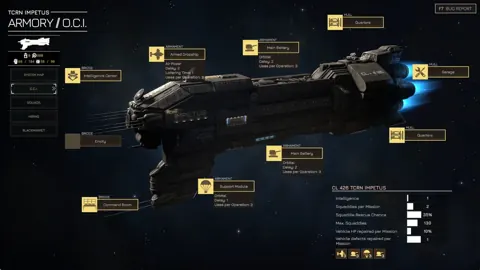
The Garage belongs in the Impetus’s Hull OCI slot. Under the OCI system introduced in version 0.7.8, base OCIs are always unlocked, so the Garage does not require a faction-trust unlock.
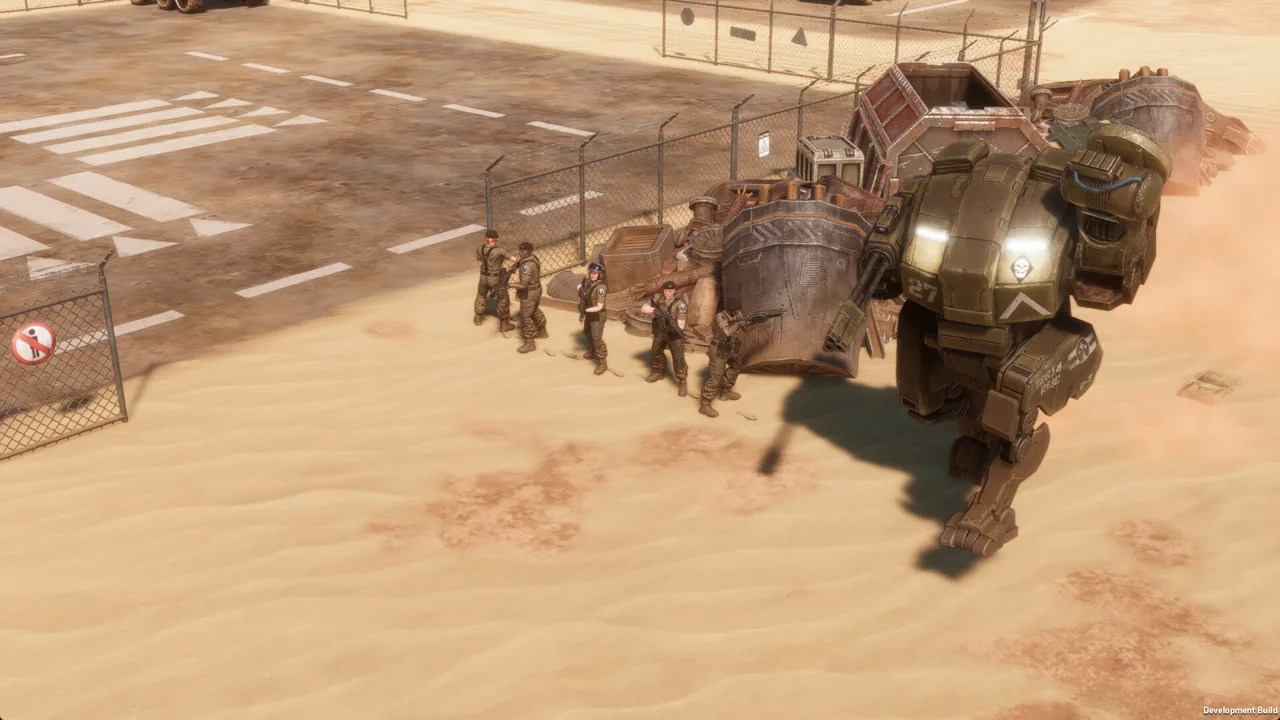 Image: Steam / Overhype Studios
To set up between-mission vehicle recovery:
- Open the Impetus’s OCI screen.
- Find the Hull slot and its available OCIs.
- Install the Garage.
- After your next mission, check the surviving vehicles’ HP and defects before preparing another deployment.
“Always unlocked” describes availability; it does not mean every base upgrade is installed simultaneously. Your Hull selection matters because the Garage and Quarters provide different benefits.
| Base Hull OCI | Effect |
|---|---|
| Garage | Repairs one defect and restores 10% vehicle HP after each mission |
| Quarters | Adds 20 maximum squaddies and increases Squaddie Rescue chance by 10% |
Choose the Garage when you want its vehicle recovery effect available between battles. Choose your Hull configuration around the forces you are actually bringing through an operation.
Check Replacements Before Changing Your Setup
Faction OCIs replace the base OCI installed beneath them. Non-ability OCIs usually retain their base effect, but upgraded versions can substantially change what an OCI does.
Read the replacement’s effects before switching away from a repair-focused setup. Do the same when choosing an upgraded version: a higher-tier option can change functionality rather than simply increase every existing benefit.
Existing saves also deserve a check. Version 0.7.8 uninstalled old OCIs and refunded their costs when those saves were loaded. If you resumed an older campaign after that update, inspect the installed configuration before expecting repairs to trigger.
MENACE How to Repair Vehicle Checklist
Before deploying again, work through these checks:
- Installed Hull OCI: Check which effect your current configuration provides.
- Vehicle HP: Look at its condition after the previous mission’s recovery.
- Remaining defects: Read each active effect rather than judging readiness by HP alone.
- Next mission: Compare its objectives and difficulty with your available vehicles.
- Reserves: Consider another chassis if the damaged vehicle would face an unsuitable assignment.
The Garage provides recovery after missions. Plan around that timing instead of expecting it to solve an immediate battlefield emergency.
Understand HP Loss and Vehicle Defects
Vehicle survival involves hitpoints, armor, and armor durability. Damage can also trigger defects at specific HP-loss thresholds, adding problems beyond the shrinking health bar.
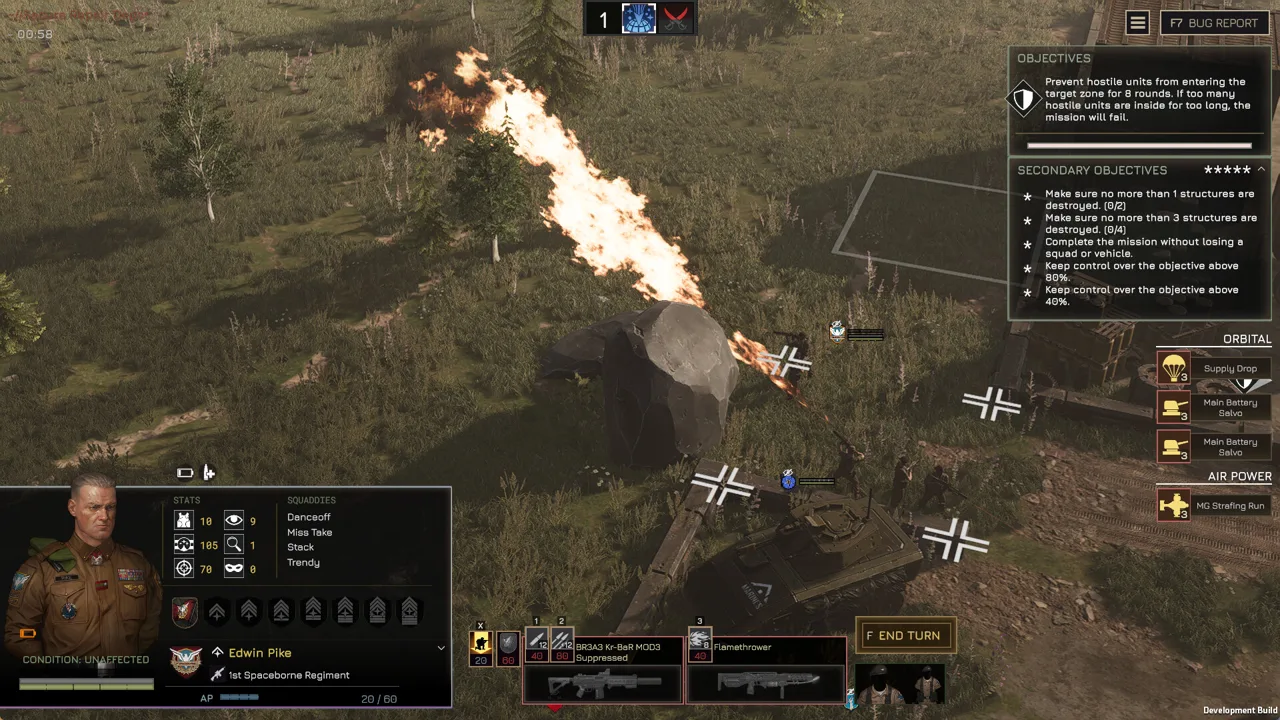 Image: Steam / Overhype Studios
These mechanics apply to both conventional vehicles and walkers. Their movement and armor layouts differ, but both can suffer defects.
| HP lost | Defect severity | Examples |
|---|---|---|
| 25% | Light | Small fire, overloaded controls that stun the vehicle for one turn, light weapon damage |
| 50% | Medium | Persistent medium fire, engine damage that increases movement costs, damaged optics |
| 75% | Heavy | Large fire, destroyed weapon system, destroyed engine, potentially fatal critical hit |
Those percentages describe health lost, not health remaining. Losing 75% of a vehicle’s HP leaves it at 25%, where heavy defects become a serious concern.
Inspect the actual defect after a damaging hit. Damaged optics reduce view range, detection, and accuracy. Engine damage increases movement costs. A destroyed engine can immobilize the vehicle, while a destroyed weapon system can remove its ability to contribute firepower.
Why Partial Repairs Require Another Inspection
The Garage combines HP restoration with removal of one defect. That is useful between missions, but neither benefit means the vehicle necessarily returns to full combat readiness.
Check its remaining condition after recovery. If multiple defects were present, account for whatever remains before assigning its next role. Likewise, restored HP does not make every surviving engine or weapon problem irrelevant.
For your MENACE how to repair vehicle decisions, keep two questions separate: how much health does the chassis have, and what can it still do?
Watch Weapon-Specific Damage
Some defects depend on the vehicle or its equipment. An EMP weapon can accidentally discharge and stun nearby machines. A rocket-equipped vehicle can launch rockets unpredictably as it is destroyed. Damaged flamethrower fuel lines can leave a trail of fire.
Give a badly damaged vehicle space when its equipment creates these risks. Avoid gathering other machines around a chassis with a dangerous EMP defect, and keep nearby units clear of a rocket vehicle approaching destruction.
Keep Damaged Vehicles Alive Until Repairs
For your MENACE how to repair vehicle planning, remember that between-mission maintenance only helps vehicles that survive long enough to receive it. During combat, adjust your positioning when damage changes what a vehicle can safely accomplish.
 Image: menacegame.com
Protect Conventional Vehicles’ Weaker Facings
Tracked and wheeled vehicles have directional armor. Their fronts are generally the strongest, their sides weaker, and their rears the least protected.
Keep the front toward the main threat when positioning allows it. Avoid exposing the rear just to take a shorter route, especially after the vehicle has already suffered a defect.
Plan movement before committing. Conventional vehicles move efficiently along straight routes and roads, but turning costs substantial action points. Narrow streets and obstacles can consume movement while giving enemies opportunities to attack weaker facings.
Preserve a clear route away from danger when choosing a firing position. Engine damage makes that planning more important because increased movement costs can further restrict your options.
Use Walkers’ Maneuverability
Walkers have equal armor facing every direction and can turn without paying extra AP for the change in facing. Their movement makes them more flexible in confined spaces.
Use that flexibility to reposition around obstacles or respond to a threat from another direction. Still check their defects carefully: equal directional armor does not prevent engine damage, weapon failures, or fire.
Respect the Deployment Warning
MENACE warns you when deploying a severely damaged vehicle with less than 25% HP. Pause at that warning and review its defects, the mission requirements, and your alternatives.
Bring a reserve vehicle when its condition better matches the assignment. Operations carry vehicle damage and losses forward, so preserving another usable chassis gives you more deployment choices later.
If you have Juryrigged, check whether the vehicle actually has a defect before trying to use it. Since version 0.7.6, the ability is usable only when a defect is present.
MENACE How to Repair Vehicle Between Operations
Operation-end recovery is broader than the Garage’s between-mission maintenance. When an operation finishes, surviving vehicles are repaired and squad elements are replenished.
This recovery also applies when an operation fails. However, failure has campaign consequences, and permanently destroyed chassis and permanently dead pilots stay lost.
| Operation outcome | Vehicle recovery | Other consequences |
|---|---|---|
| Successful completion | Surviving vehicles are repaired | Earn operation rewards, including OCI points, Authority, and faction trust |
| Failed operation | Surviving vehicles are restored | No operation OCI points; faction trust falls |
| Aborted mission | Aborting counts as aborting the operation | Authority is reduced |
Keep individual mission rewards in mind when an operation goes badly. Rewards from missions already completed remain yours even if the operation later fails.
Do not treat failure as a free maintenance shortcut. Preserve your surviving force while weighing the rewards and consequences of continuing.
Plan Recovery Across the Remaining Missions
Before selecting another mission, compare its objectives, difficulty, supply allowance, and strategic effects with your current roster. Carrying damage forward makes those choices relevant to vehicle survival.
Read beneficial and enemy strategic assets as well. An enemy armorer workshop can improve enemy vehicle armor, while removing an enemy asset takes away its associated benefit. Choose the route with your remaining combat capability in mind.
Also budget off-map support across the operation. Since version 0.7.8, its uses are allocated per operation rather than refreshing every mission. Save enough support for later fights when damaged vehicles could need help completing objectives.
Finish your deployment review by checking HP, defects, and the next mission together. That connects the Garage’s gradual recovery with the larger goal: getting surviving chassis through the operation.
FAQ
MENACE how to repair vehicle: what should I install?
Install the Garage in the Impetus’s Hull OCI slot. It repairs one defect and restores 10% vehicle HP after each mission. Under the version 0.7.8 OCI system, it is an always-unlocked base OCI.
Why is my vehicle still damaged after a mission?
Vehicle damage carries between missions. The Garage provides partial recovery after each mission, so a badly damaged vehicle can still need repairs afterward. Inspect its remaining HP and defects before redeploying.
Do vehicles get repaired after a failed operation?
Yes. Surviving vehicles are restored when an operation fails. You keep rewards from completed individual missions, but receive no operation OCI points, and faction trust falls.
Can repairs bring back a permanently destroyed vehicle?
No. A permanently destroyed chassis stays lost. Operation-end restoration also does not revive permanently dead pilots, so protect both the vehicle and its crew throughout the operation.
Continue with
 MENACE Light Walker Guide: Supply Costs and LoadoutsBuild your MENACE light walker around its supply cost, weapon choices, and ammo needs. Learn what changed and plan a loadout that leaves room for infantry.
More in Vehicles
MENACE Heavy Tank Guide: Weapons, Gear, and Tactics
Build your MENACE heavy tank around the right weapons, supply costs, and accessories. Learn how to get it and keep armor fighting through tough missions.
MENACE Heavy Walker Guide: Weapons, Slots, and Builds
Build your MENACE heavy walker loadout around weapon slots, linked fire, and current balance changes. Compare walker options and plan your next deployment.
MENACE Vehicles: Chassis, Weapons, and Loadout Guide
Build better MENACE vehicles with chassis comparisons, weapon slot rules, transport tips, and updated tank, walker, mortar, and accessory stats for combat.
Join the community
Official channels for news, updates and player help: