
Early access · Release date: February 5, 2026
UpdatedMENACE Mods: Features, Compatibility, and Patch Tips
Explore MENACE mods, from free Black Market trading to demo unlocks. Learn what each changes, how patches affect compatibility, and what to check next.
Jump to
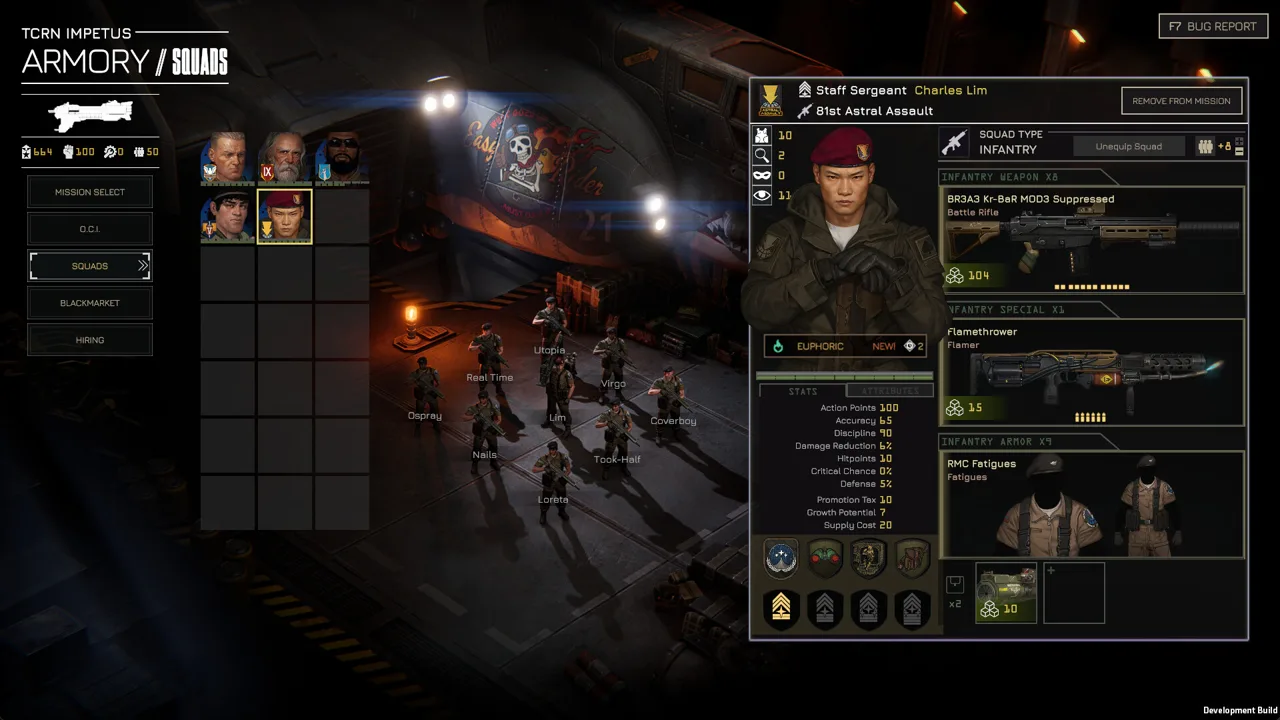
What Can MENACE Mods Change?
MENACE mods can turn a resource-starved strike force into an equipment playground. That matters when you want to experiment with weapons and vehicles without working around the usual resource limits. The MENACE mods covered here include free Black Market trading and a demo-focused overhaul that expands access to equipment, supplies, and experience.
Their scope matters as much as their features. Black Market Items targets trading costs, while Vader's Menace Enhancements focuses on experimenting with the demo. Start by deciding which part of the game you want to change.
| Mod | Main changes | Version or tool detail |
|---|---|---|
| Black Market Items | Removes all costs from the in-game Black Market | Uses MelonLoader |
| Vader's Menace Enhancements | Expands demo experimentation with equipment, supplies, manpower, and experience | Designed around the MENACE demo |
Black Market Items: Remove Trading Costs
Black Market Items makes every item in the Black Market free to trade. Its appeal is straightforward: you can experiment with purchases without paying their normal trading costs.
That changes an important part of MENACE's resource management. The base game puts you in charge of a strike force operating far from the Core Worlds, where limited resources help shape your decisions. Removing market costs changes how you approach equipment acquisition.
Keep the scope clear, though. Free trading applies to the Black Market. Mission deployment supply costs, character experience, and other systems are separate mechanics.
Use this mod for equipment shopping experiments, and continue checking each loadout's battlefield requirements. A weapon's purchase price and its deployment supply cost are different considerations.
Vader's Menace Enhancements: Explore the Demo's Arsenal
Vader's Menace Enhancements opens up a broader range of demo experimentation. Its expanded equipment access includes weapons, armor, vehicle equipment, and accessories, alongside increased resources.
The demo setup includes options such as mortars, laser weapons, drones, heavy machine guns, and vehicle-mounted weapons. Increased supply allowances also make larger deployments possible.
That creates room to compare very different battlefield tools. Try a mortar alongside direct-fire weapons, or explore how vehicle equipment changes your force composition.
Keep those experiments tied to the demo. The equipment values and perk interactions in an older demo setup belong to that version of MENACE; use the current game's descriptions when planning an Early Access campaign.
Check Your Version Before Using MENACE Mods
Version checks deserve attention because MENACE is still changing during Early Access. Equipment values, character perks, combat rules, and performance settings have all received updates.
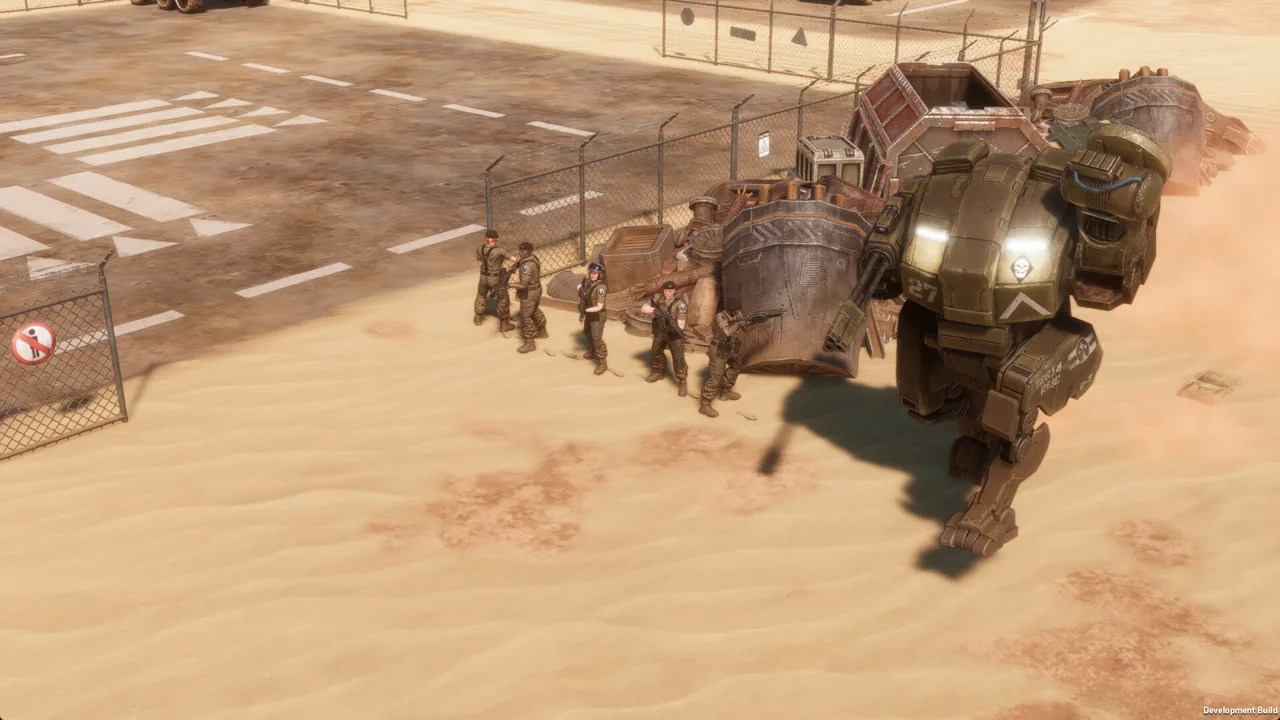 Image: Steam / Overhype Studios
For MENACE mods that change equipment or character progression, those changes are especially relevant. Before installing anything, read the mod's installation directions and identify whether it targets the demo or Early Access.
Black Market Items uses MelonLoader, so include its loader requirements in that check. Follow the author's instructions for the particular release you intend to use.
The October updates also explain several changes that can otherwise look like mod behavior.
| Update | Changes relevant to your campaign |
|---|---|
| v0.7.16 balancing update | Reworked equipment, perks, OCIs, and combat rules; refunded all promotion points |
| v0.7.17, Hotfix #13 | Improved performance by disabling Screen Space Global Illumination |
| v0.7.17, Lim's perks | Replaced Solid Grouping with Zig-Zag and reset and refunded his promotions |
Both v0.7.16 and v0.7.17 support existing savegames. That compatibility applies to the game updates themselves.
After the balancing update, reassign your promotions before judging a familiar squad's performance. Several characters received different perks, and existing builds need another look.
Lim is a useful example of why the latest patch matters. In v0.7.16, Sprint replaced his Zig Zag perk. Hotfix #13 then restored Zig-Zag by replacing Solid Grouping. Evaluate his current perk choices using v0.7.17.
The same care applies to troubleshooting. If a character's promotions have changed after an update, account for the patch's reset before changing your mod setup. Identify the game's own changes first so you can investigate the right problem.
Compare MENACE Mods With the Current Game's Options
Before choosing MENACE mods for stronger weapons or more build freedom, revisit the current arsenal. The v0.7.16 balancing update changed enough equipment and perks to make older loadout assumptions worth reconsidering.
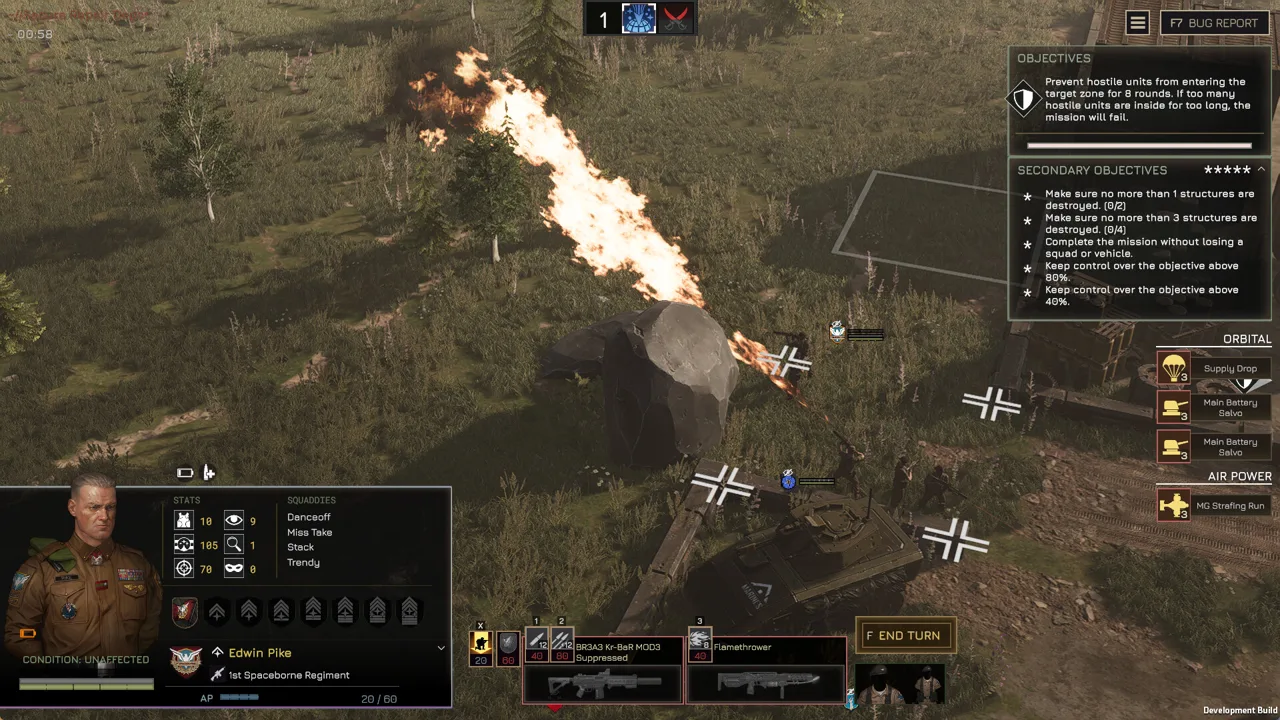 Image: Steam / Overhype Studios
The update's goal was to broaden build variety while preserving situational equipment. Some weapons became cheaper to deploy, others gained damage or accuracy, and several perks received additional effects.
| Equipment or perk | v0.7.16 change |
|---|---|
| Heatsink vehicle accessory | Adds 50% maximum heat capacity |
| Sprint | Costs 40 AP to move up to five tiles, followed by the winded effect |
| Take Aim | Delays the unit's turn and grants +10% accuracy and +30% critical hit chance |
| Grenadier | Adds one use to all grenade accessories |
| Tripod Laser Lance | Supply cost reduced from 70 to 45 |
| Kingpost M8 Mortar | AP cost reduced from 50 to 40; scatter chance reduced from 50% to 33% |
These changes give you concrete experiments to run without altering the game.
For grenade-focused loadouts, account for Grenadier's extra accessory use. Several grenade accessories also received changes: Flashbang supply cost dropped from 10 to 5, while Thermite Grenade armor penetration increased from 140 to 180.
For precision weapons, revisit Take Aim and the updated rifle values together. The K-SAS DMR gained a 10% critical hit chance bonus on its primary fire mode, and its damage increased from 25 to 30. Critical hits also gained 50% increased armor penetration.
For indirect fire, compare the current Kingpost M8 Mortar against your old expectations. Beyond its lower AP cost and scatter chance, its damage increased from 15 to 40, while its scatter range dropped from two tiles to one.
Check supply costs alongside those improvements. The Tripod Griffin Minigun received cheaper attacks in AP terms, but its supply cost rose from 50 to 65. A weapon can become more effective while taking a larger share of your deployment allowance.
Also revisit tactics that depend on older combat rules. Blind fire now carries a -60% accuracy penalty, damage reduction is capped at 90%, and some large enemies—including the Hive Queen—are immune to stun effects.
Build around those current rules when comparing a modded setup with the base game. Otherwise, differences caused by a patch can get mixed up with differences caused by a mod.
Handle Performance Problems Before Adding Mods
Resolve an existing performance problem before expanding your setup. MENACE has received performance fixes, and several known issues have specific workarounds.
 Image: menacegame.com
Hotfix #13, v0.7.17, disabled Screen Space Global Illumination because its GPU cost was higher than expected and it could cause crashes. That change is part of the base game update.
| Problem | Game behavior or workaround |
|---|---|
| Performance drops involving Screen Space Global Illumination | v0.7.17 disables the feature |
| Fullscreen behaves incorrectly after minimizing | Use Fullscreen Window |
| Crashes on a high-refresh-rate monitor | Enable Vsync or lower the frame rate to 60 FPS or below |
| Slow loading and delayed character barks | A known issue with HDD installations |
Use those targeted fixes when the symptoms match. For a display problem after minimizing, try Fullscreen Window before rearranging your mod installation. For crashes associated with a high-refresh-rate display, try the Vsync or frame-rate workaround.
Keep troubleshooting focused on one change at a time. Adjust the relevant display setting, check the result, and then continue with your mod setup.
When comparing MENACE mods, separate performance questions from gameplay changes. Free Black Market purchases change trading; expanded demo resources change what you can field. Neither feature explains every crash, loading delay, or display issue you might encounter.
Follow Workshop and Campaign Updates
Steam Workshop support is planned for MENACE. Keep an eye on the developer's announcements through the MENACE Steam page as development continues.
Workshop support and individual mod requirements are separate considerations. For a MelonLoader mod, follow that mod's loader and installation directions. For a demo modification, keep its demo focus in mind when choosing what to download.
The campaign roadmap also matters if your interest in MENACE mods comes from wanting a longer run. An Extended Campaign option is planned alongside Squad Leader Update #2. It is intended to reduce progression speed to roughly half the normal pace.
That option is part of the planned game updates. If slower progression is your main goal, watch its release details before choosing a modification around that preference.
The same update plans include one new squad leader and one new pilot. Main Story Expansion #1 is planned to add story content, more Construct units, Level 2 Blueprints, and additional items. Some of its content will unlock only in fresh campaigns, while existing saves will remain playable.
Choose your next campaign around the experience you want:
- Use Black Market Items when you want to experiment with free market trading.
- Use Vader's Menace Enhancements for broader demo equipment and resource experiments.
- Revisit v0.7.16's equipment and perk changes when you want new builds within the base game's rules.
- Follow the Extended Campaign option if slower progression is your priority.
Keep Ironman rules in mind, too. Under v0.7.16, quitting or closing the game during a mission aborts that mission. Check your mode before interrupting a battle to work on your setup.
FAQ
Does MENACE have mods?
Yes. MENACE mods include Black Market Items, which removes Black Market costs, and Vader's Menace Enhancements, which expands equipment and resource experimentation in the demo.
What does Black Market Items change?
It removes all costs from the in-game Black Market, making items free to trade. The mod uses MelonLoader. Follow its installation directions and distinguish trading costs from deployment supply costs.
What does Vader's Menace Enhancements unlock?
Its demo-focused setup expands access to equipment such as weapons, armor, vehicle gear, and accessories. It also supports increased resources, including supplies, manpower, and experience, for broader experimentation.
Is Steam Workshop support planned for MENACE?
Yes, Steam Workshop support is planned. Follow the game's Steam announcements for development updates, and check each mod's own installation requirements before adding it to your setup.
Continue with
 MENACE Reddit: Community Help, Builds, and Patch TipsFind MENACE reddit community help for squad builds, patch changes, Ironman rules, and performance fixes. Get practical tips for your next campaign today.
More in Community
See all Community
Quick links
MENACE Full Release Date: 1.0 Status and 2027 Roadmap
Looking for the MENACE full release date? Get the latest 1.0 status, Early Access launch details, and a breakdown of the 2026 and 2027 update roadmap.
MENACE Squad Leader Tier List: Best Picks and Builds
Use this MENACE squad leader tier list to compare top picks, plan promotions, and build stronger squads with the updated perk changes for version 0.7.17.
MENACE PS5: PC Release Dates, Updates, and Roadmap
Looking for MENACE PS5 news? Get the PC Early Access release date, current update details, and development roadmap before planning your tactical campaign.
MENACE Guide: Squad Builds, Combat, and Mission Tips
Use this MENACE guide to manage supplies, build effective squads, master turn order, and plan operations in v0.7.17. Prepare your force for the Wayback.
Join the community
Official channels for news, updates and player help: